01Background: Regulations Forced a New Route
In Canada, regulators cracked down on exchanges that couldn't prove user deposits were held in guaranteed 1:1 accounts, with the goal of keeping user funds provably solvent. The effect on exchange availability was massive: most major exchanges that didn't depend on Canadian customers pulled out of the country entirely — some going as far as IP-blocking any access to their sites and services.
Binance, the exchange I had been using to connect my API parameters to my algorithm's automated triggers, suddenly became useless to me: I was blocked from their services with no way around it. I searched for alternatives that offered API trading along with leverage (margin) of at least 10x, but found no centralized exchange willing to provide it. The only viable path forward was a decentralized route — one where Canadian regulations have no bearing on my activity and my algorithm could function again.
02Why dYdX
dYdX is a decentralized exchange that no government regulation can enforce against. It has decent liquidity and an expansive API for interacting with the order book through scripts and webhook requests — exactly the kind of interface my trading model requires. The account that interacts with the order book is pseudo-anonymous: all it takes is a private wallet such as MetaMask to sign De-Fi transactions.
dYdX runs all trades on a layer-2 platform, so executions are immediate and fees are relatively low compared to centralized exchanges. It offers perpetual futures with leverage, and while dYdX openly states it restricts users from certain countries (Canada included), it can only enforce that policy based on the IP location of the connecting computer or server. Because there is no KYC — a consequence of its decentralized nature — a simple VPN, or hosting the server in a non-restricted country, is all that's needed to operate within their rules of enforcement.
After a few months of research, implementation, and testing, I successfully transferred the bulk of the previous trading model to dYdX's platform through a privately hosted server in Singapore. The server runs the repositories required to receive API requests and pass them to the dYdX trading account for execution. The sections below walk through each step I took to set up and launch the automated trading algorithm — which still runs on the logic, theories, and models of the original forked project.
03Setting Up the Remote Server
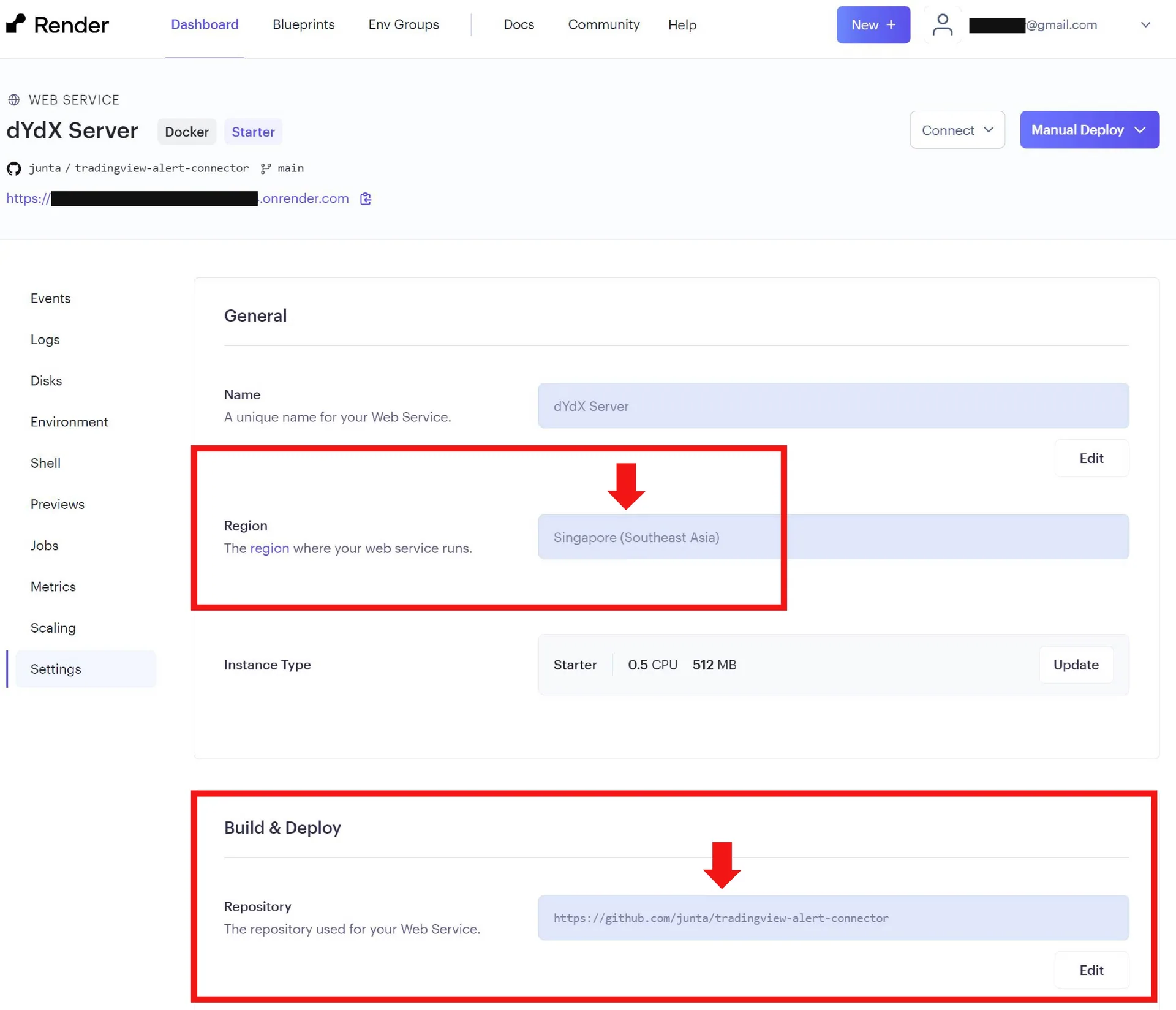
The first step was establishing a remote server in a geographic region dYdX accepts. The service Render.com offers fast, affordable servers with the option to host in Singapore — an accepted country. From dYdX's perspective, all it ever sees is an API request arriving from a Singapore server carrying the mnemonic credentials of the connected decentralized wallet.
In the Build & Deploy section of the screenshot below, you can see the GitHub repository that automatically handles webhook requests from TradingView and passes them along to dYdX in the correct format. Full credit belongs to the author, Junta, for building the API logic connecting TradingView to dYdX — documentation is available at tv-connector.gitbook.io/docs.
04Connecting the Decentralized Wallet
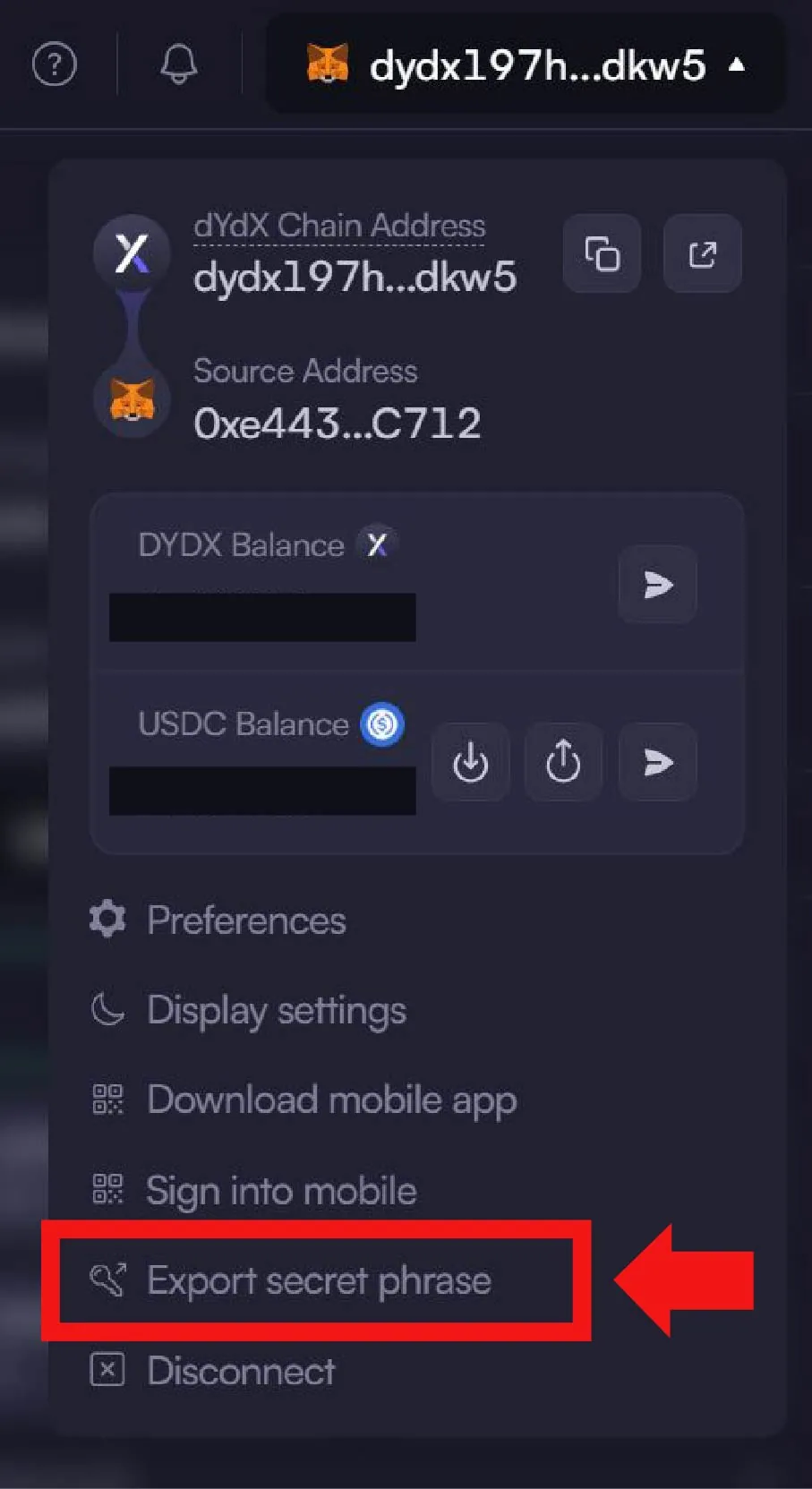
To connect the decentralized wallet to the remote server, I first needed the 24-word mnemonic secret phrase generated from the source wallet address — exported from MetaMask in this example.
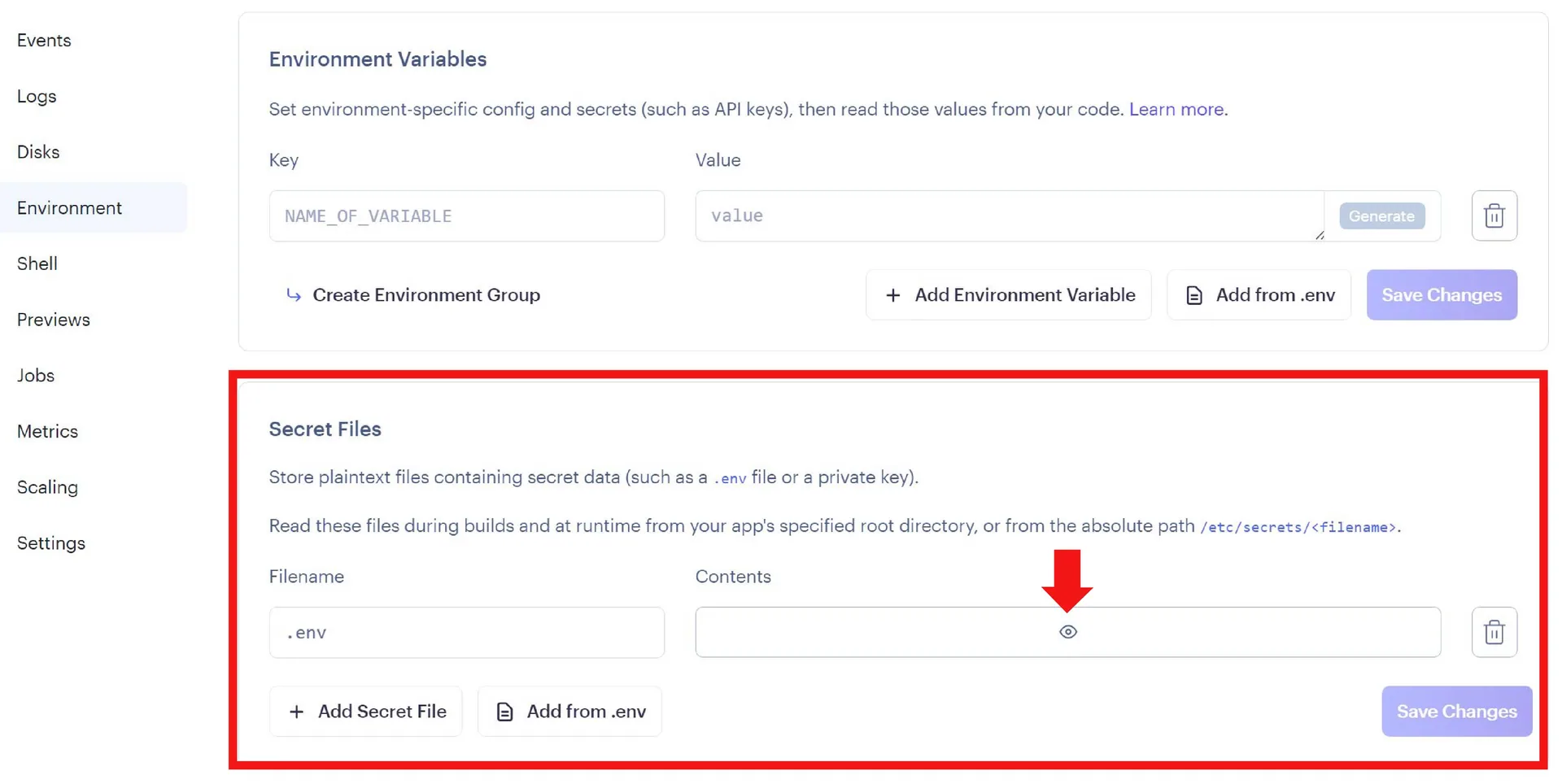
With the phrase in hand, all that remained was pasting it into the server's Secret Files section as an .env file in the correct format.
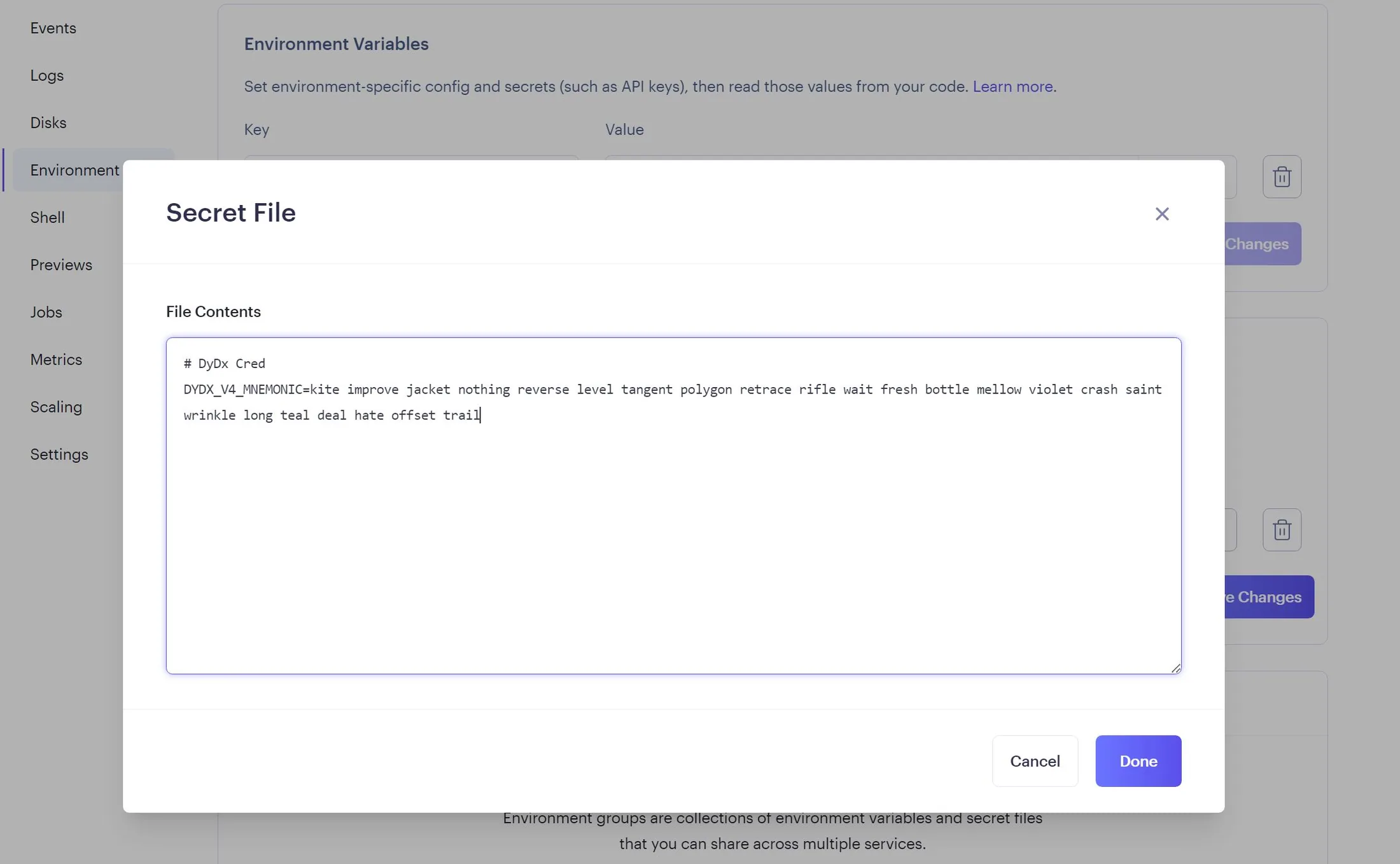
Note: the secret phrase shown in the example above is made up — it does not correlate to any wallet.
05Wiring Up the Webhook & TradingView Alerts
With the server and wallet connected, the next step was grabbing the deploy hook URL to paste into the webhook window of the TradingView alert.

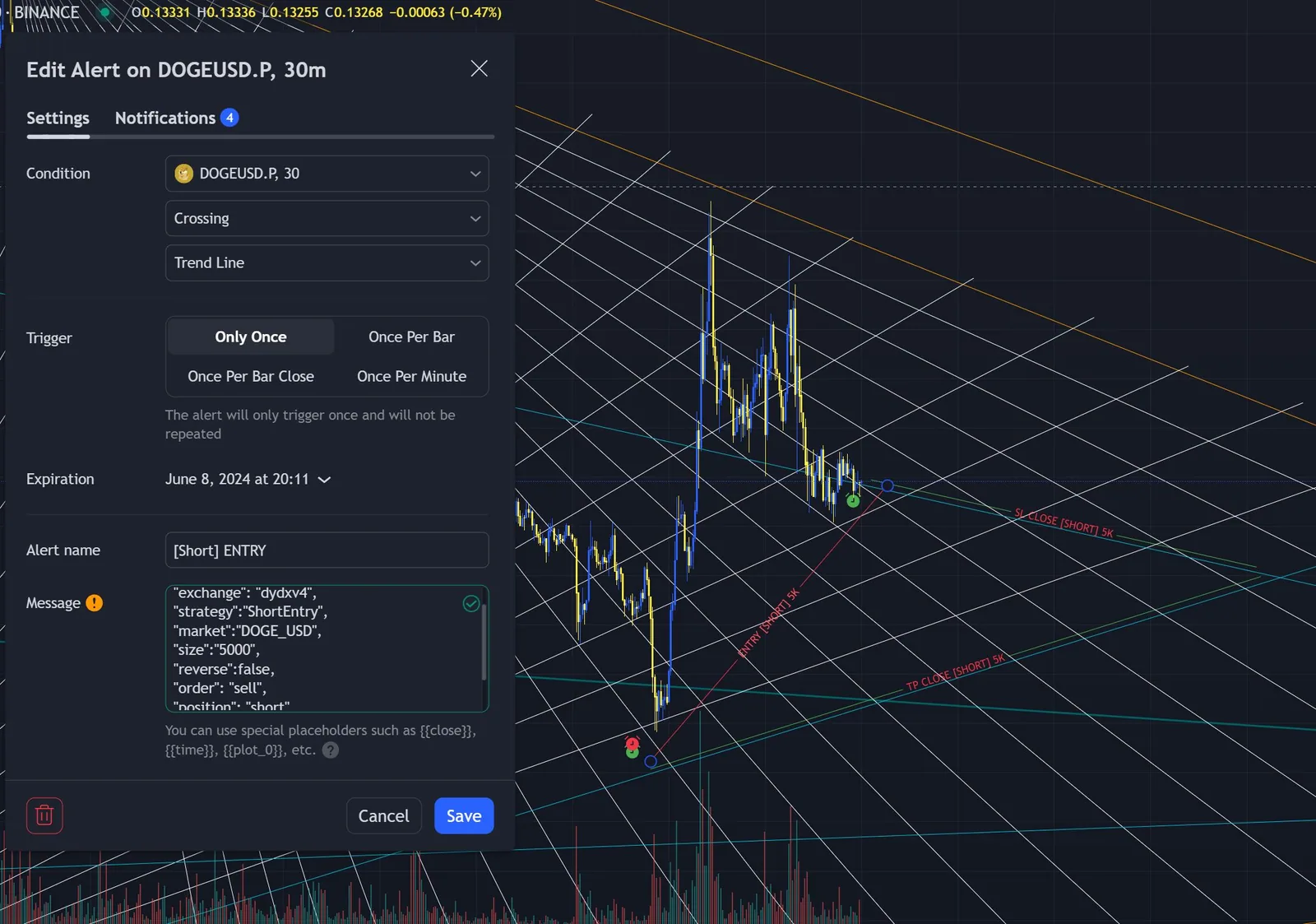
The last step was pasting the webhook URL into the alert's Notifications tab and setting up the JSON-formatted alert message. In the example below you can see the message structure that defines the variables and parameters for a trade. When the price crosses the sloped trigger line while the alert is enabled, TradingView sends the contents of the message to the webhook URL — and the server takes it from there.
06Accessing Trade History over SSH
That concludes the trade-execution side of the project — but I'll also walk through how I access the server's event history. The process involves generating an ed25519 SSH key, adding it to the server, and establishing a direct connection from my personal computer through the command prompt. With a single command, I can download a .csv of every trade made through the server.
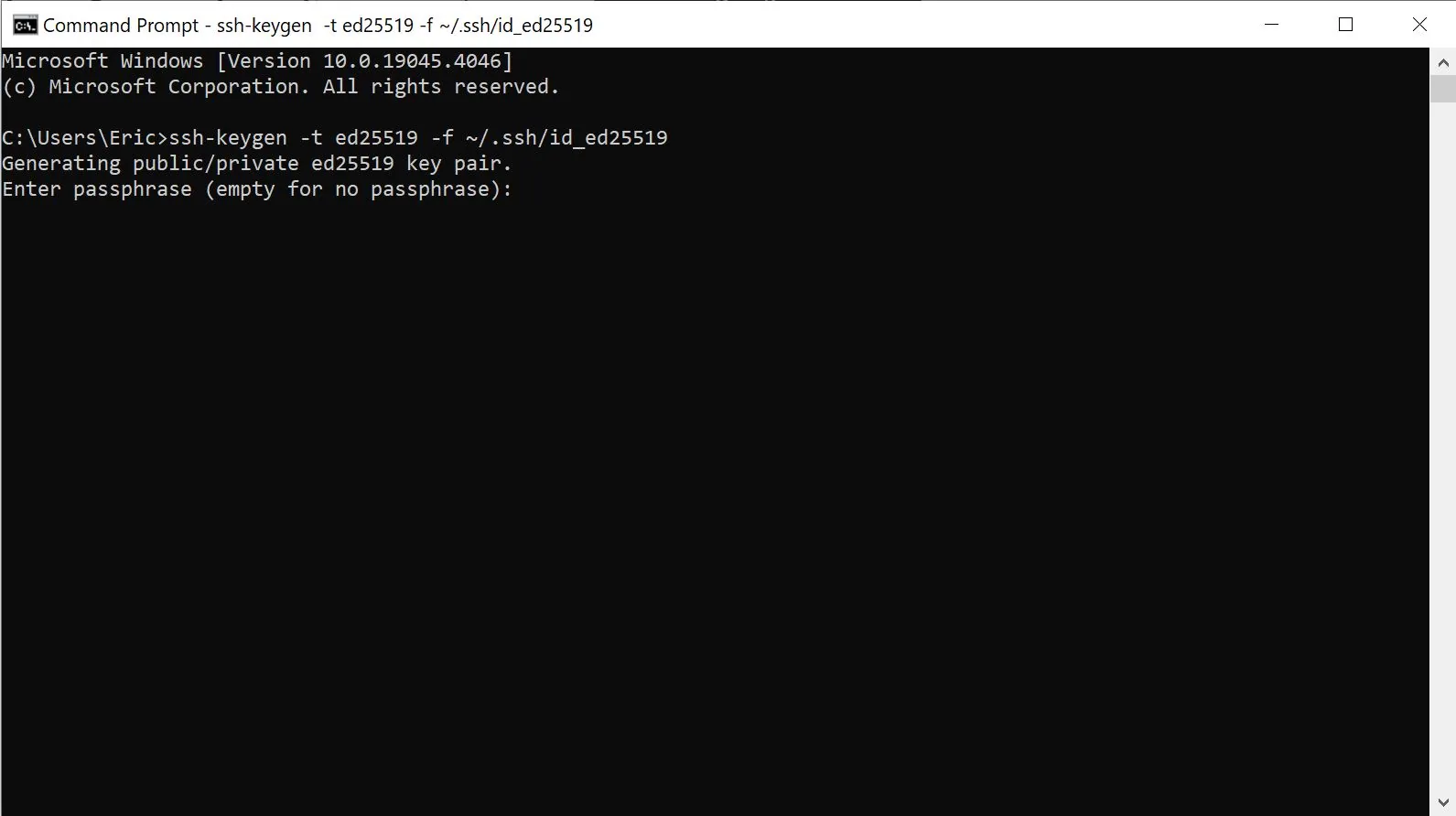
First, generate the key and passphrase in the command prompt:
ssh-keygen -t ed25519 -f ~/.ssh/id_ed25519
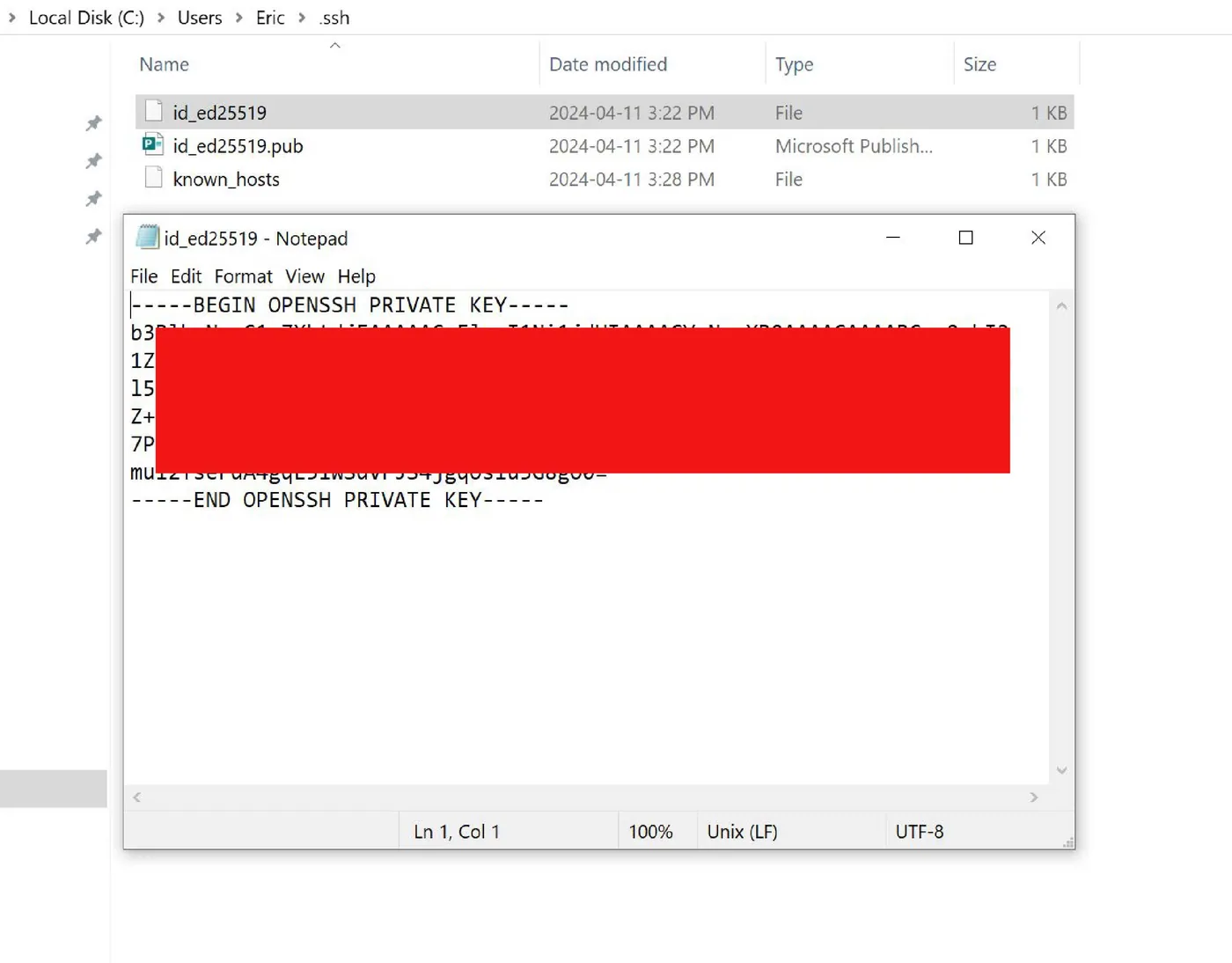
Next, I pasted the public key into the server, which generated an SSH URL that lets me call the server from the command prompt to download files.
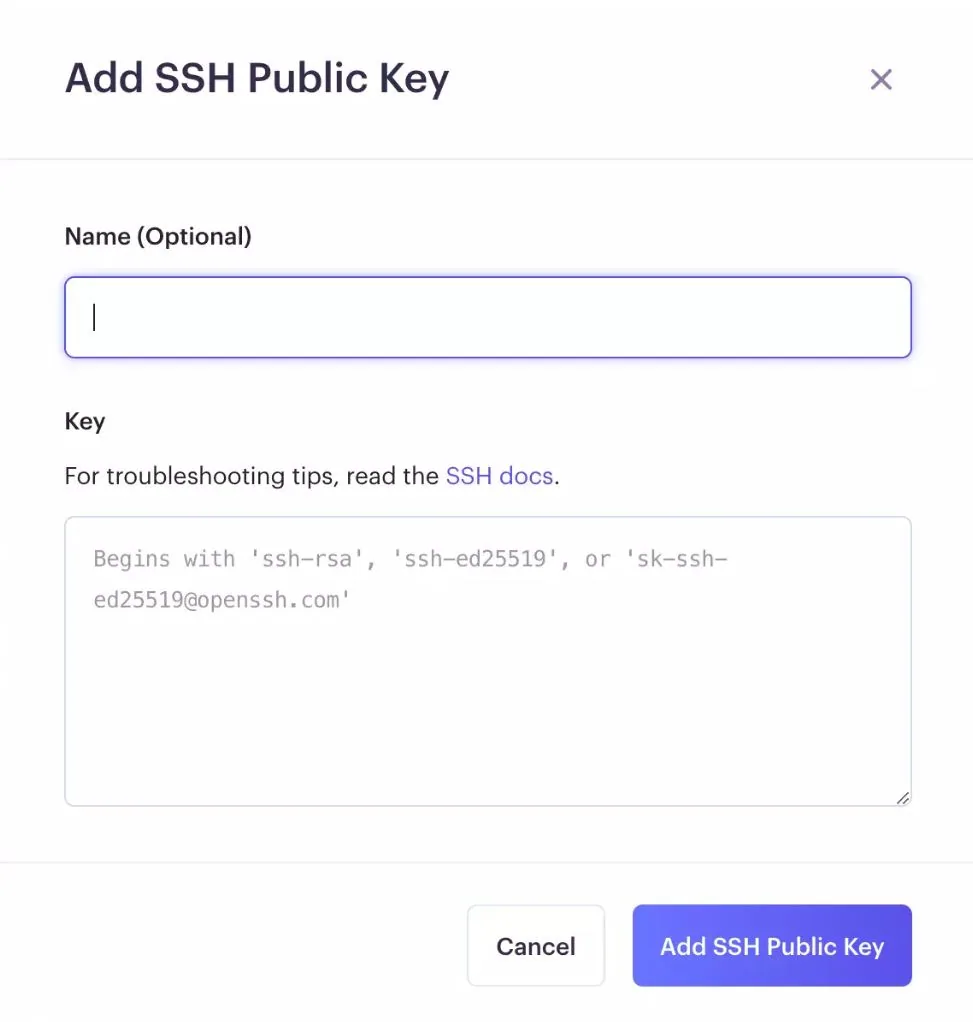
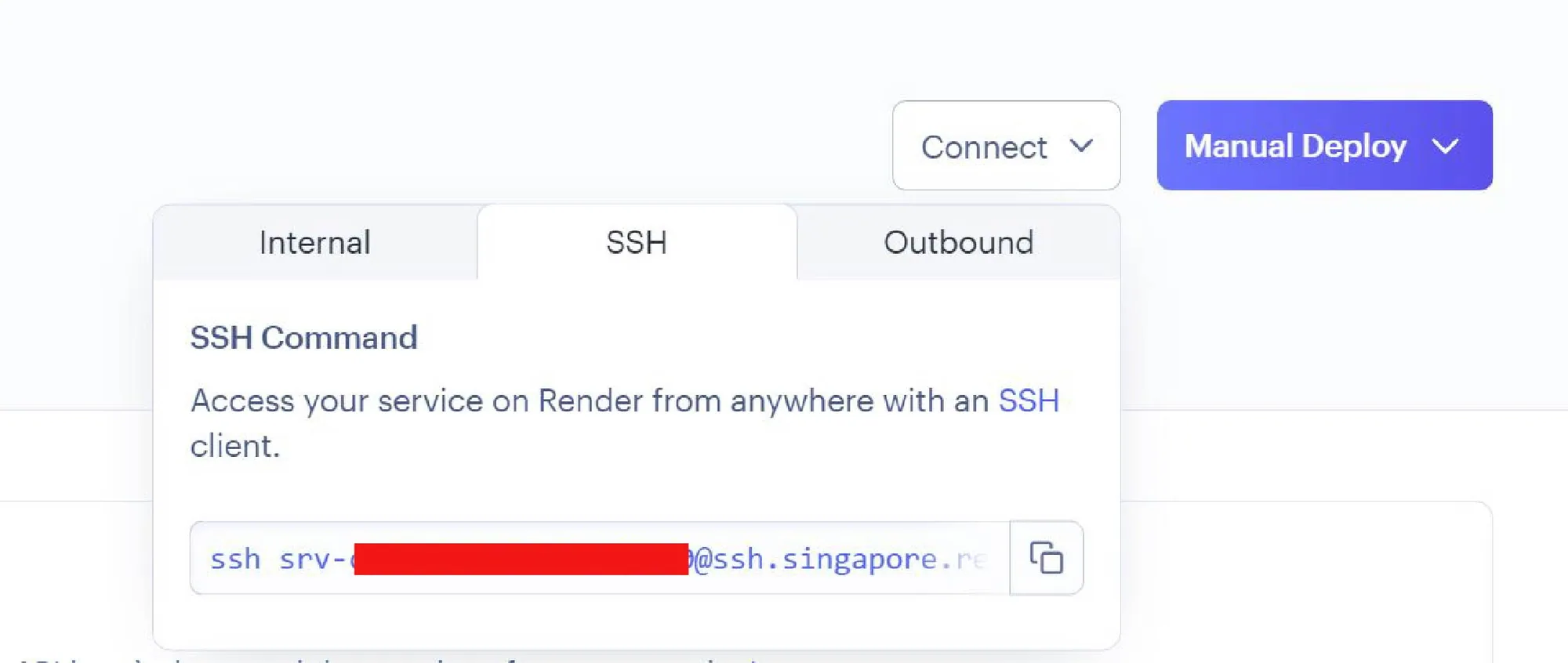
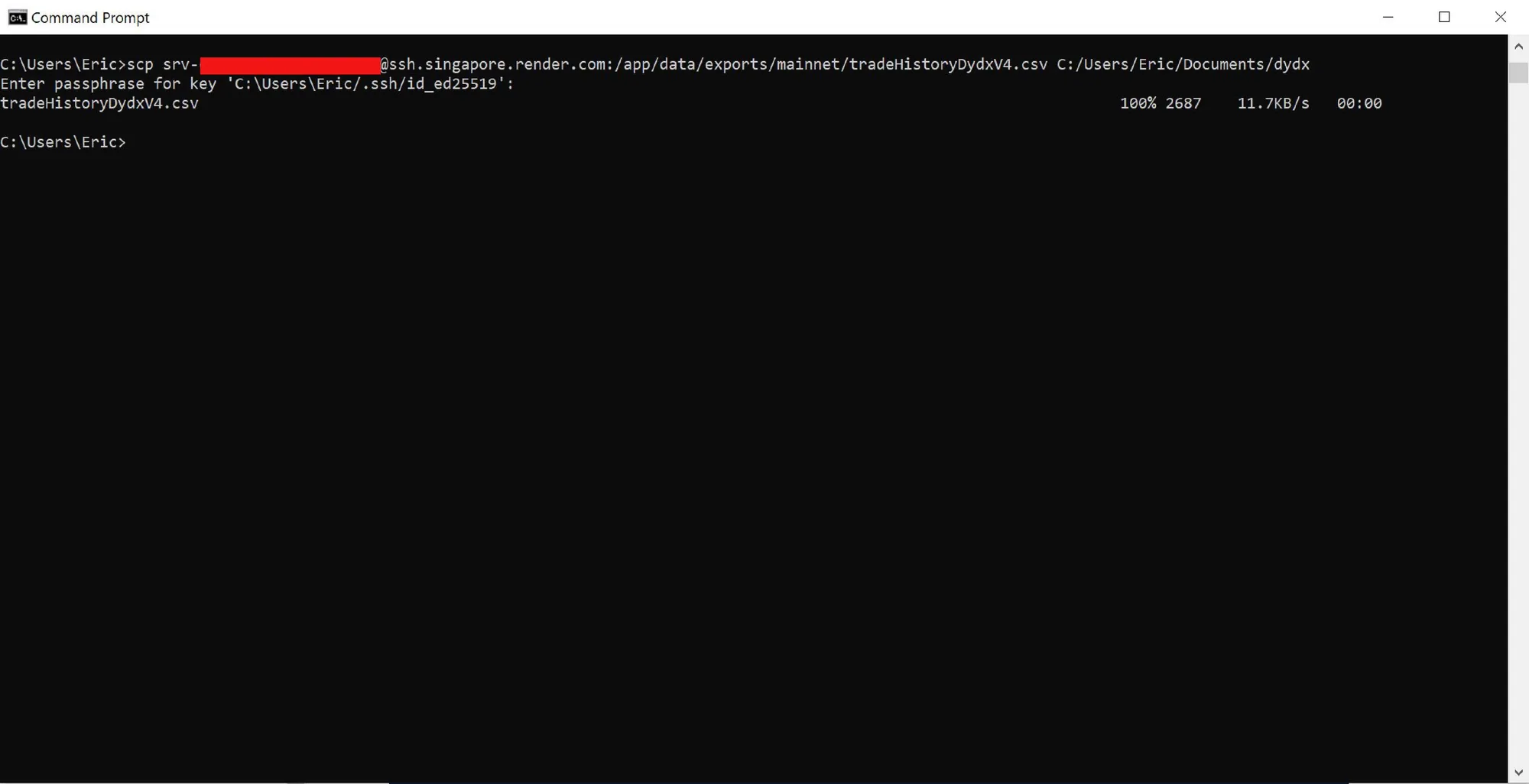
Lastly, with a single scp request:
scp srv-xxxxxxxxxxxxxxxxxxxx@ssh.singapore.render.com:/app/data/exports/mainnet/tradeHistoryDydxV4.csv C:/Users/Eric/Documents/dydx
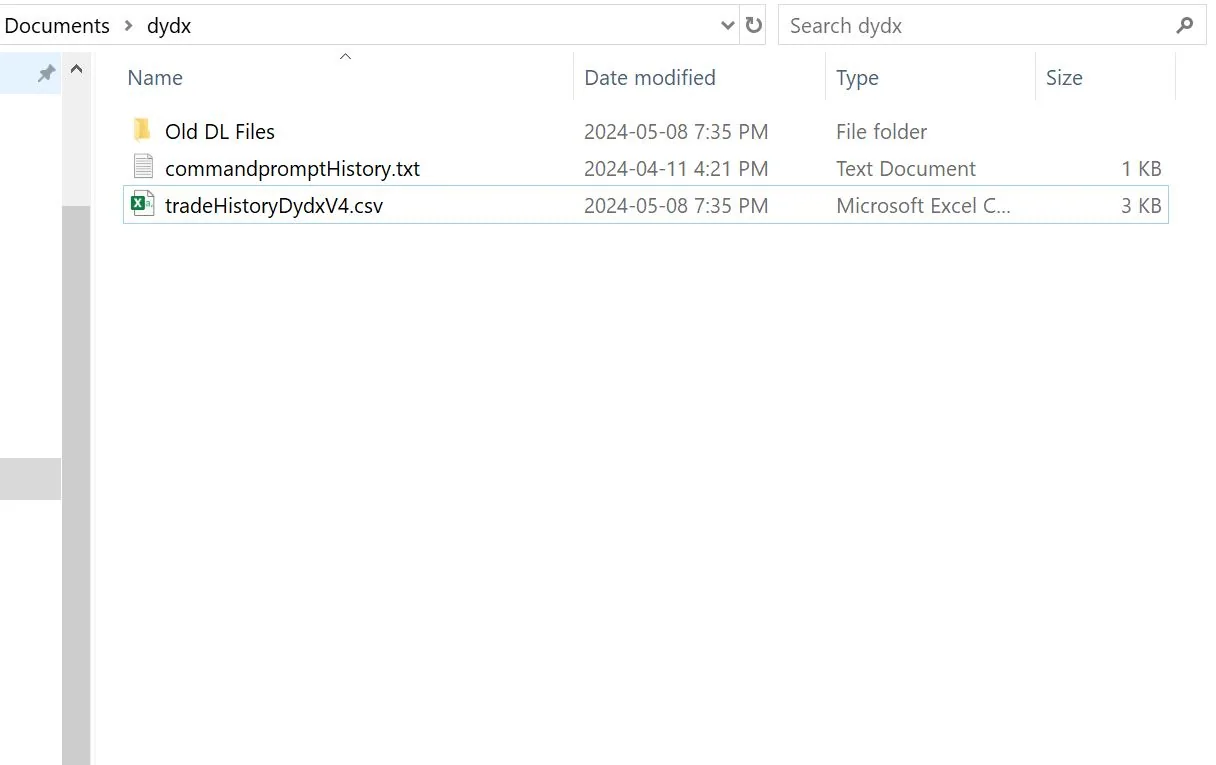
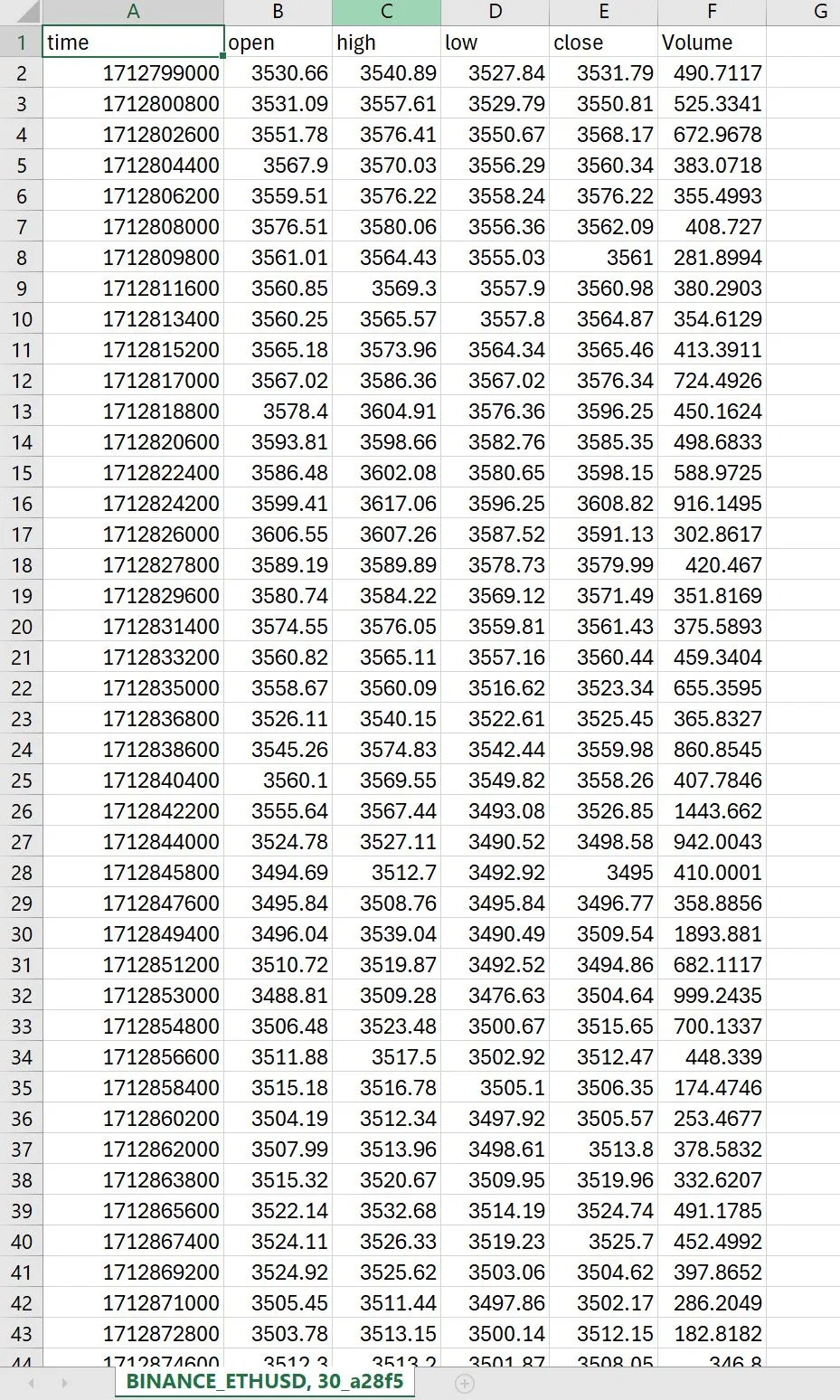
…the computer reaches into the server's storage and downloads the requested .csv file. This lets me track and store every trade, disposition, and adjusted cost base — which is especially useful for tax purposes and equity tracking.
07Current Status & Next Steps
That concludes this project for now. It remains marked In Progress because the repository may receive updates that add parameter options for tailoring the algorithm with more logic. Currently I'm limited to market orders, executed as individual orders — there is no OCO (one-cancels-the-other) option to attach take-profit and stop-loss positions automatically, which complicates setting up TP and SL levels. For now, those must be placed manually before a trade is executed to ensure risk and reward are configured correctly.
Further options and products may become available through dYdX over time, expanding what the system can do. Any updates to the project will be added below, and once updates taper off the project will be marked as Completed.